Table of Contents
- 1. Which widgets etc., do you need?
- 2. Company settings
- 3. Configure Peppol per organization and debtor
- 4. How can you quickly see if Peppol is configured?
- 6. Check the existence of e-identifiers on the Peppol network
- 7. How do you send a Peppol invoice?
- 8. How can you see if the invoice has been sent?
- 9.How do you quickly find invoices that haven't yet been sent via Peppol?
Setting up Peppol via Storecove for purchase and/or sales invoices & tips

- 1. Which widgets etc., do you need?
- 2. Company settings
- 3. Configure Peppol per organization and debtor
- 4. How can you quickly see if Peppol is configured?
- 6. Check the existence of e-identifiers on the Peppol network
- 7. How do you send a Peppol invoice?
- 8. How can you see if the invoice has been sent?
- 9.How do you quickly find invoices that haven't yet been sent via Peppol?
It is possible to send and receive invoices from Newbase via Peppol.
What is Peppol:
An international network and a set of agreements (standard) for the secure and efficient exchange of electronic documents such as invoices between organizations.
What is Storecove:
Newbase uses Storecove, a certified Peppol Access Point provider that offers a platform and API, to send Peppol invoices.
How does it work:
If your customer wants to receive invoices via Peppol, your enter an identifier type for the organization/debtor/creditor in Newbase. This could be the customer's Chamber of Commerce number or VAT number, for example. Newbase uses this information to search for the customer on the Peppol network (via Storecove). The customer will receive the invoice from Newbase not via email, but directly within their accounting package or ERP application. Newbase has no further influence or knowledge on this matter.
Costs?
Contact Newbase regarding the costs of using Peppol via Newbase and Storecove.
1. Which widgets etc., do you need?
The following widgets, standard queries, and standard list view are required to work with Peppol. If you don't have these, distribute them or ask your internal application manager to do so.
Please note that distributing widgets applies to everyone with the same role.
Click here for more information on how to add widgets.
Click here for more information on how to add standard queries to a home screen.
Click here for more information on how to add a standard list view.
1.1 Required within the Company module
Required:
> Storecove settings widget (WID04741)
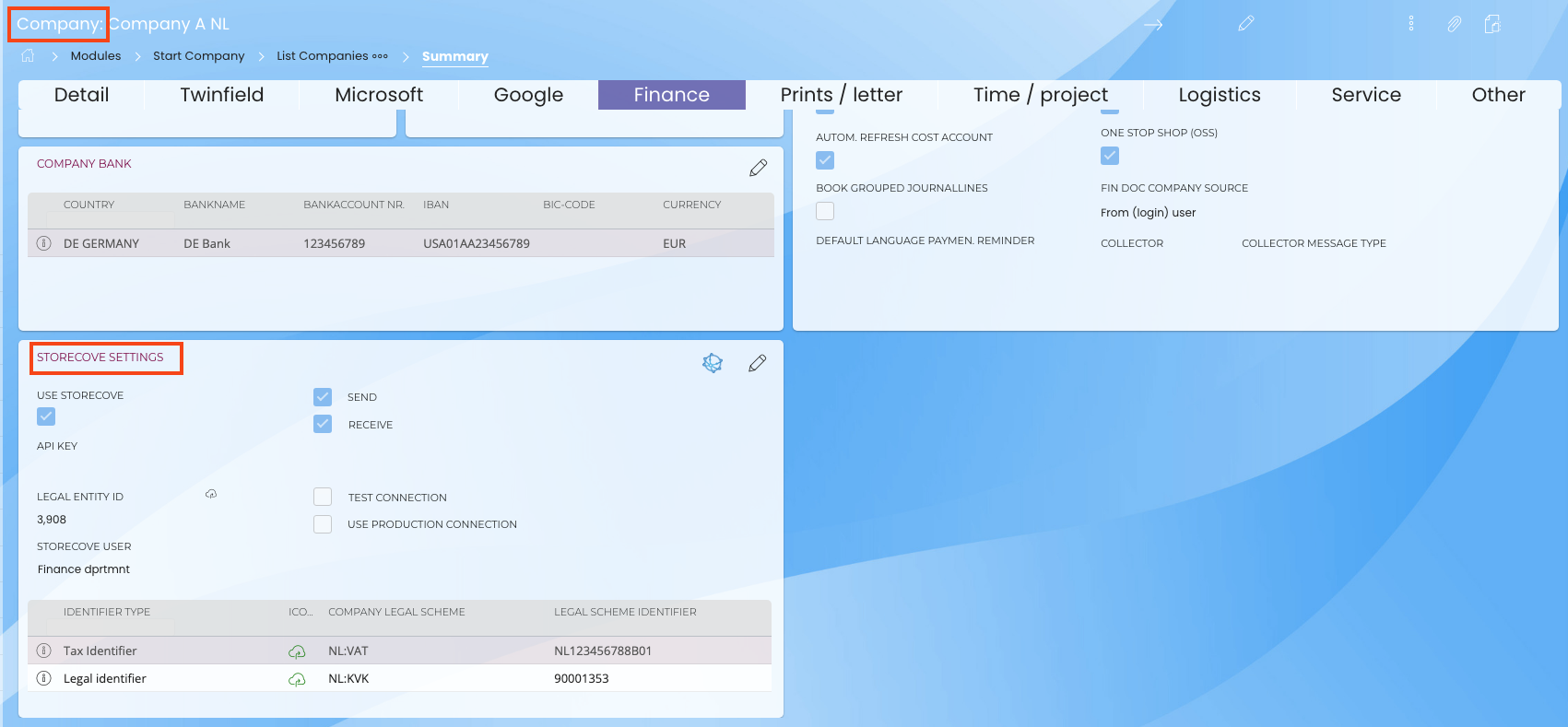
1.2 Required within the Organization - Debtor - Creditor module
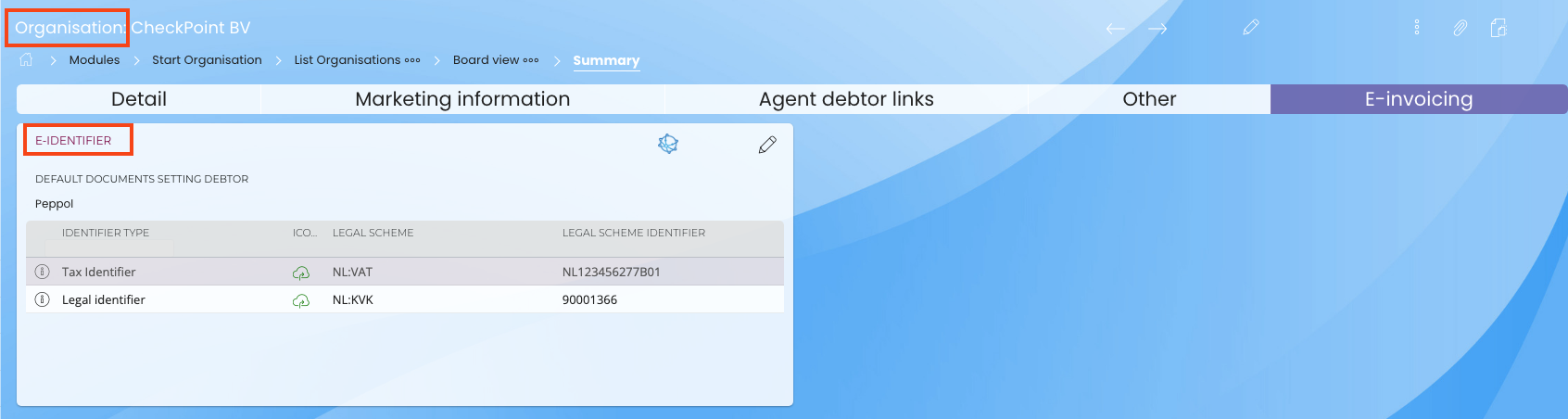
Required:
> E-identifier widget (WID04716)
Below is a screenshot of this widget within the Organization module, but it is the same within the Debtor and Creditor modules. If desired, you can create a new tab to place this widget.
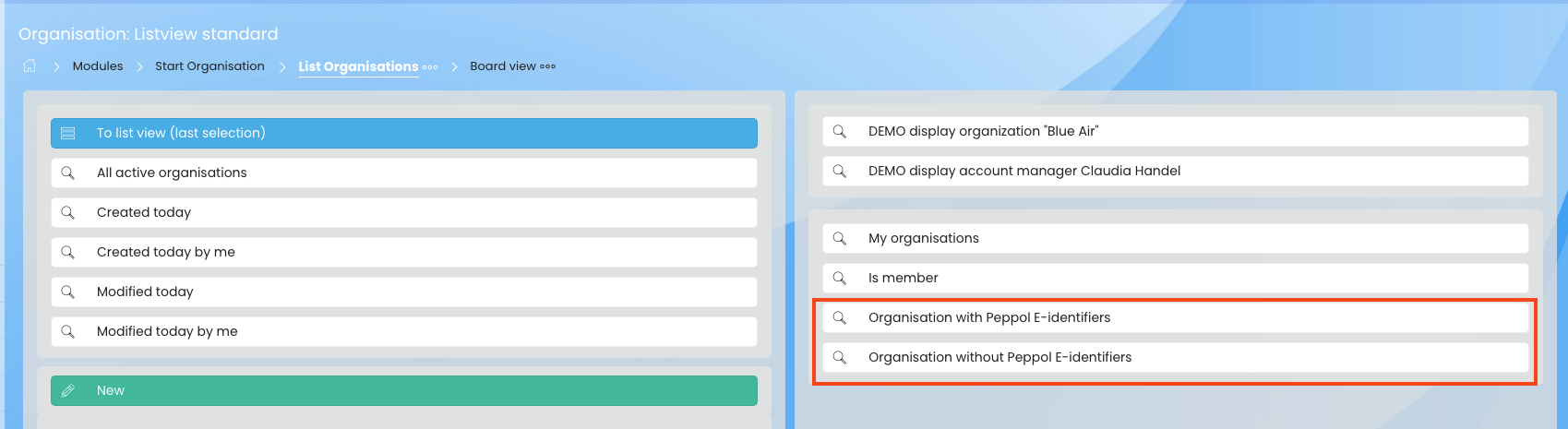
Useful standard queries:
> Organizations with Peppol E-identifiers
> Organizations without Peppol E-identifiers
Below is a screenshot of the queries available within the Organization module, which are also available in the Debtor and Creditor modules.
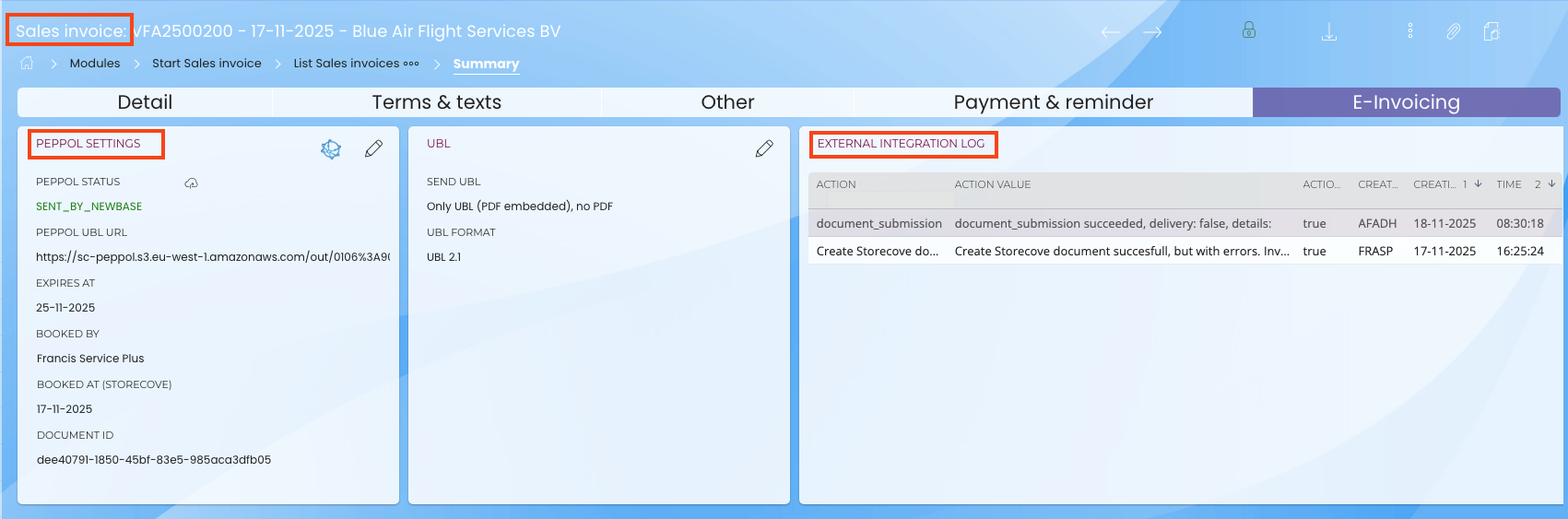
1.3 Required within the sales invoice module
Required:
> Widget: Peppol settings (WID04612)
> Widget: External integration log (WID02099)
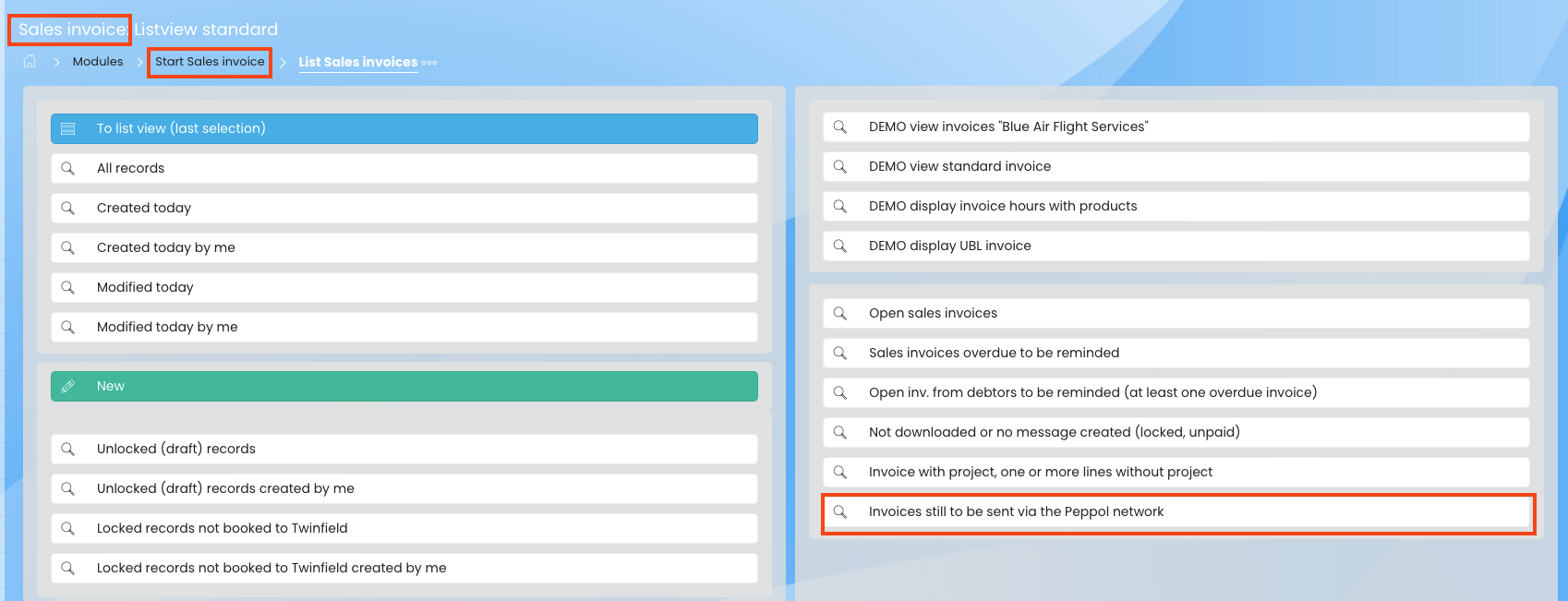
Useful standard query:
> Invoices still to be sent via the Peppol network
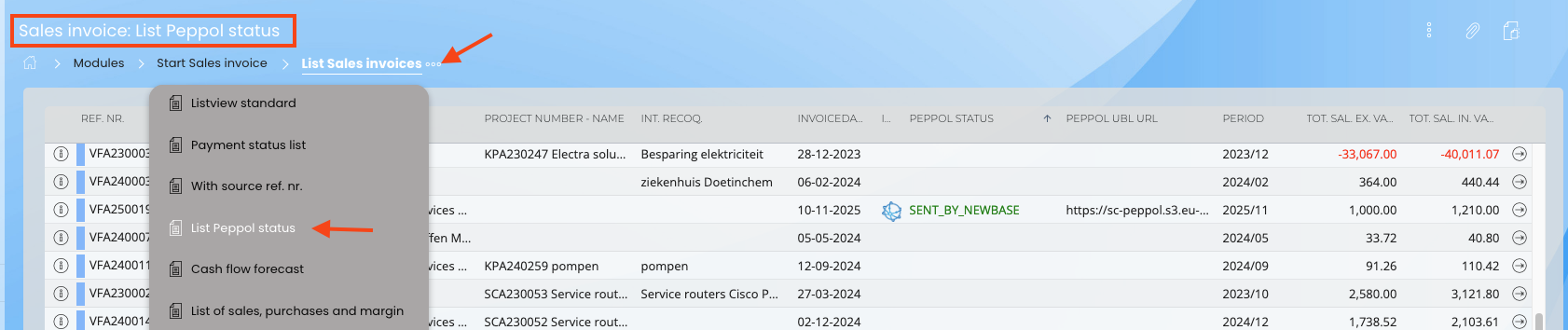
Useful standard list:
> List Peppol Status
1.4 Required within the purchase invoice module
Required:
> Imported supplier data (WID04956)
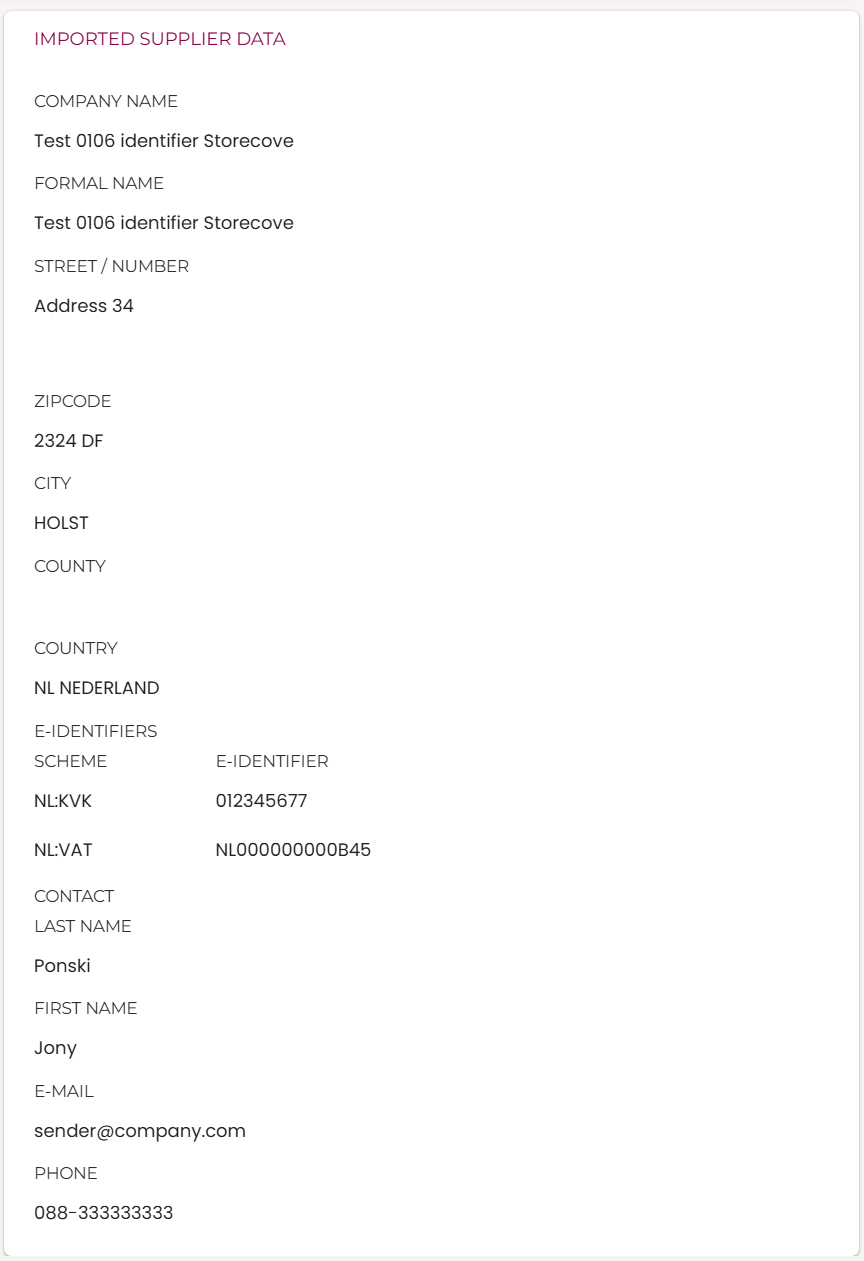
The creditor data, useful when automatic matching of a creditor of a Peppol invoice by e-identifier did not succeed.
> Imported lines (WID00430)

When the creditor is not a cost creditor the lines to link to purchaseorder or goodsreception lines can be processed here.
> Linked (int.) attachm. (WID00995)
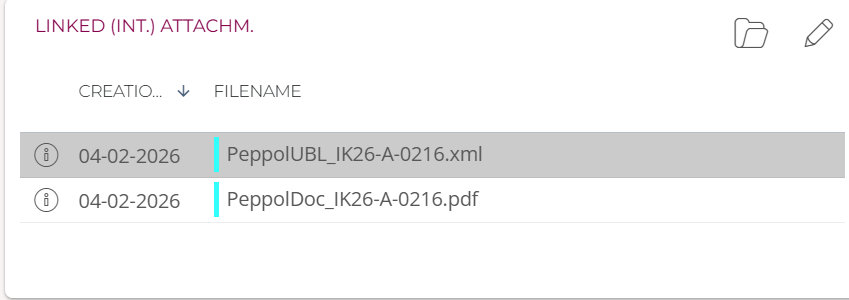
When the setup, on company level of Storecove user and cloudpath for purchase invoices is correct, the attachments can be saved:
- PDF: If the creditor has included the PDF in the XML the PDF is saved.
- XML: The source document the by Newbase created purchase invoice is based on
- It is possible the creditor has added additional documents in the XML, like general conditions. If so, they will be saved too.
2. Company settings
2.1 Peppol settings
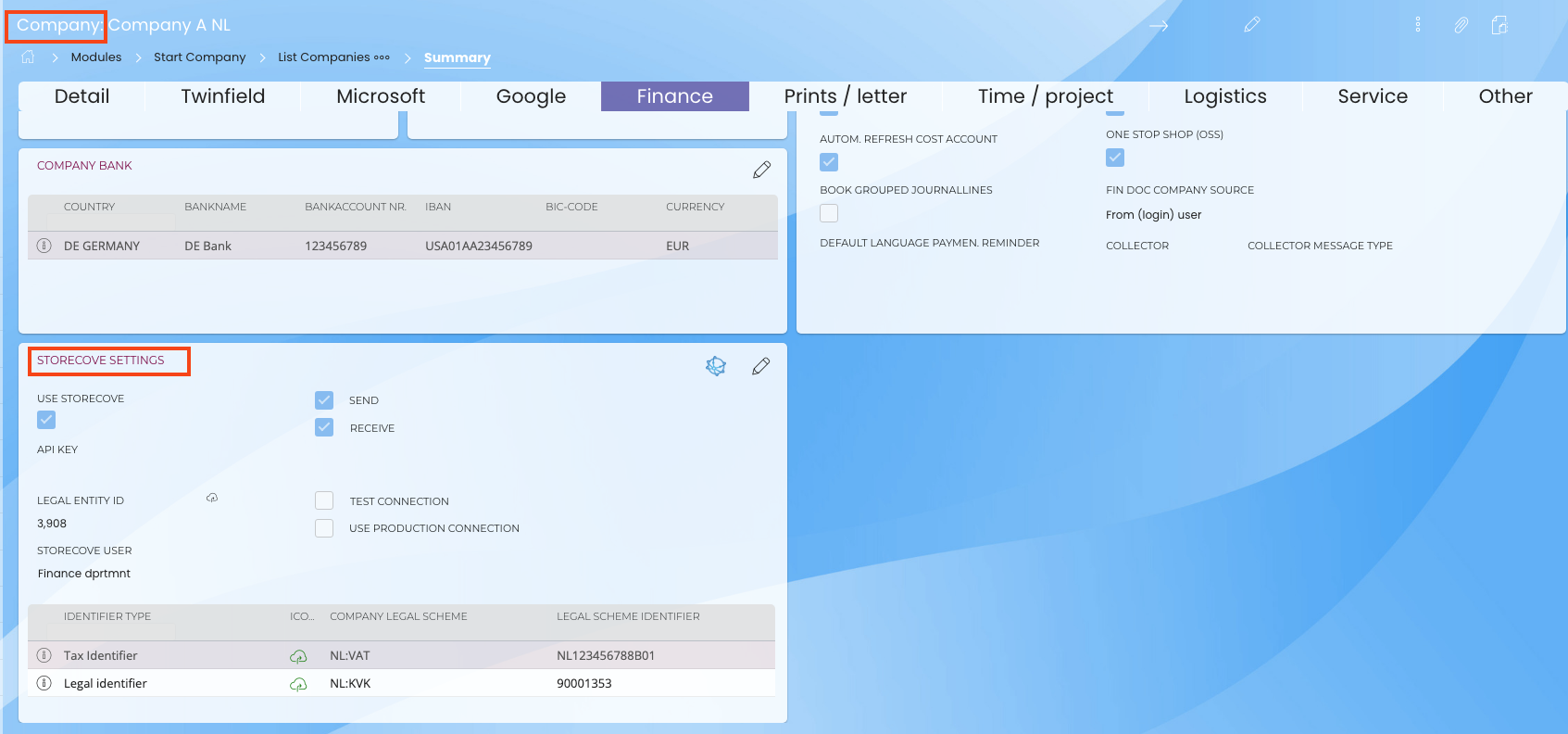
- Go to the company module and go to the 'storecove settings' widget
- Click the quick edit icon in the widget, and the pop-up below will appear
- Check the 'use storecove' box
- Check the box for sending and/or receiving (Peppol for purchase and/or sales invoices)
- Check the 'Test connection' box: If you want to test it first, please let us know so we can check this box. Also let us know when you're finished testing, so we can uncheck it
API key field:
If you are a Storecove user, you can have Newbase fill in the API key field. Otherwise, use the Newbase API.
Legal Entity ID field:
If you are a Storecove user, you can have Newbase fill in your Legal Entity ID here.
Storecove user field:
Link a user by clicking in the field and selecting a user. This user will be used for registration and sending requests. This user must have access to the relevant company and all modules and widgets related to invoices and Storecove/Peppol.
It is important to make sure that the user can write files in the folder of module 'purchase invoice' beacuse for incoming invoices Newbase stores the XML (the source of the e-invoice) and the PDF on that serverpath.
- Then click the plus icon, see below
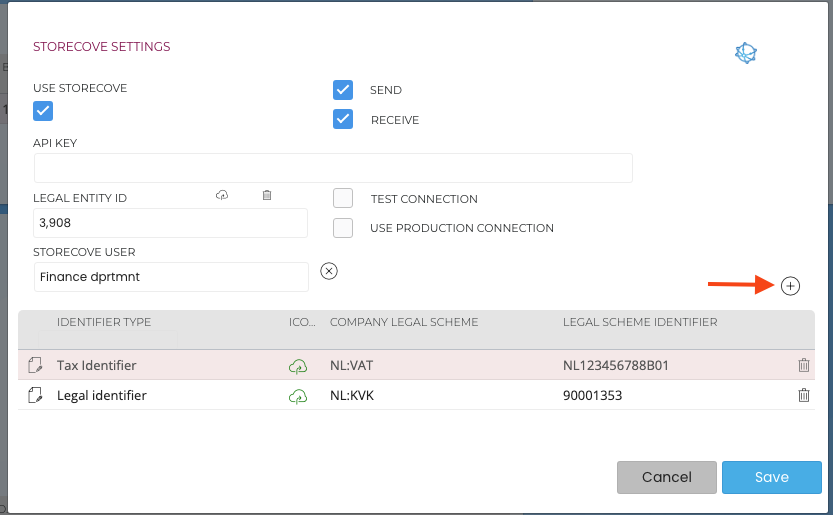
- Pop-up below will appear:
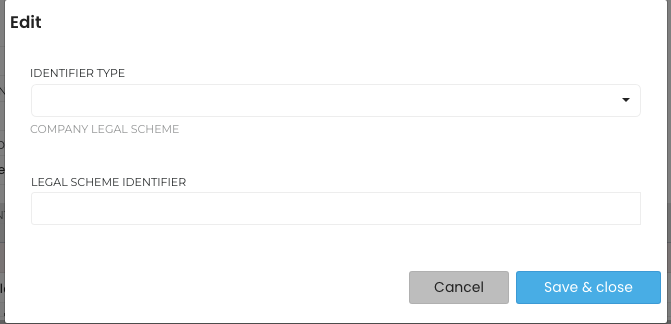
- Select an identification type and fill in the fields, then click Save and Close and repeat if necessary.*
*How your company is identified on the Peppol Network depends on the country of the company in question. If your company is Dutch, you will need to enter VAT and Chamber of Commerce identification.
Click here for more information about Storecove.
Once Storecove is configured, the icon below will appear in the widget.

- If you want to check the identification on the Peppol network, click on the 'cloud' icon
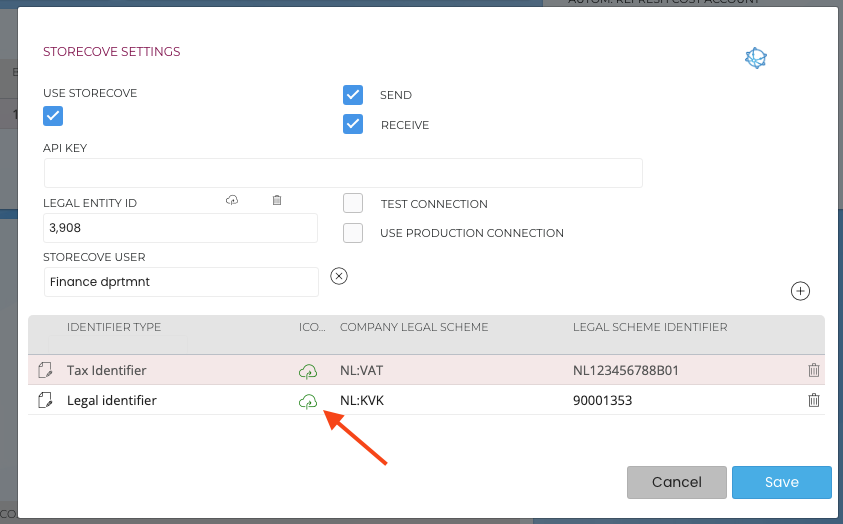
2.2 Serverpath purchase invoices
For incoming purchase invoice Newbase stores the source XML (that is the coded invoice of which we create the purchase invoice in Newbase). That XML normally contains the coded PDF too, which we retrieve, convert and store too on the server path of module purchase invoice of the company.
Therefor it is important too have this path available, otherwise the files will not be stored. (screenshot is for GoogleDrive, but for Microsoft SharePoint it is quite similar).
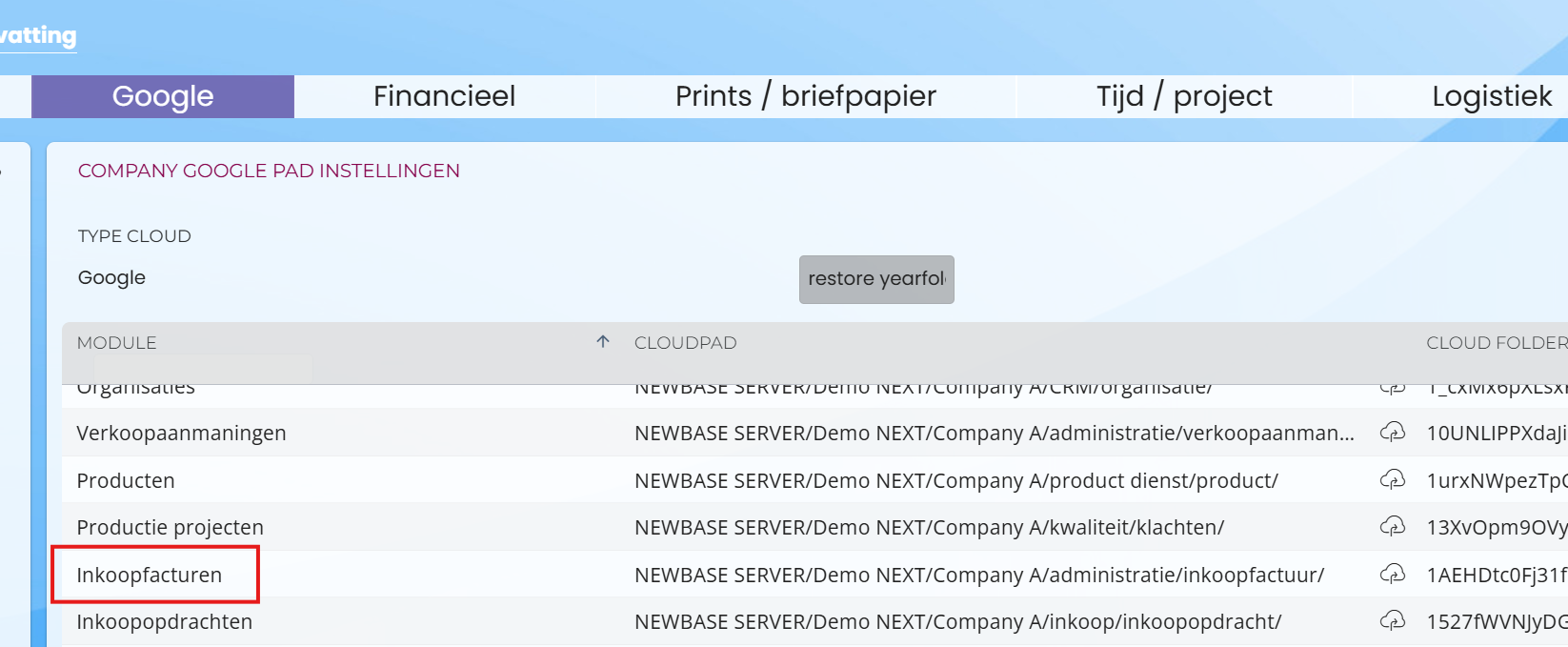
For information about Microsoft serverpaths click here
3. Configure Peppol per organization and debtor
Now you can configure whether invoices should be sent via Peppol per organization / debtor. In the example below, we configure this for the debtor. Based on the identifier type you enter here (Chamber of Commerce or VAT of the customer), the customer can be found on the Peppol network.
Note:
For debtors, there's a field where you can enter the VAT number. This number is sent to Twinfield and printed on the invoice. For Peppol, you must enter the VAT number as an e-identifier, as described below.
- Go to the organization or debtor for which you want to configure invoices to be sent via Peppol
- Go to the E-identifier widget (WID04716)
- In the 'Default Document setting' field, select Peppol. The Peppol icon will appear. Then click the plus sign to add the identifier types (the VAT of Chamber of Commerce number of the debtor).

- Click on the 'cloud' icon to check if the debtor is found on the Peppol network
4. How can you quickly see if Peppol is configured?
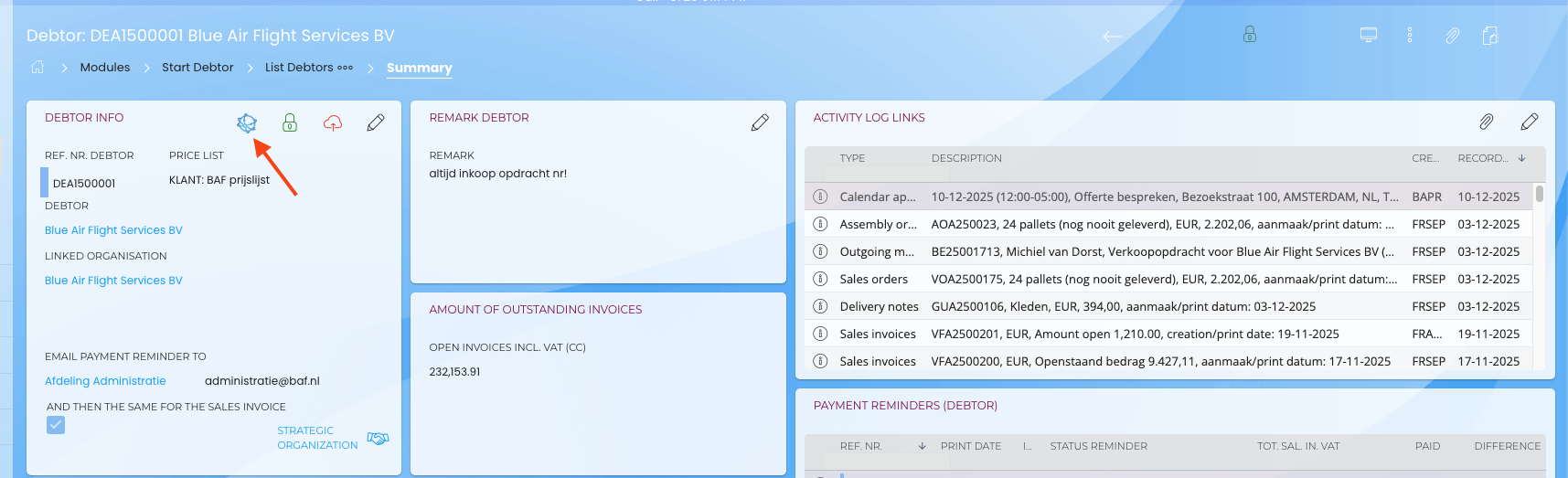
In a list view, organizations, debtors, and creditors with a Peppol configuration have an icon:

In the detail widget you see the same icon:
5. How can you quickly search for organizations/debtors with/without Peppol?
On the start screen of the Organizations and Debtors module, you can add two standard queries via 'Change role options'.
1. Debtors with Peppol settings and e-identifiers
2. Debtors without Peppol settings

6. Check the existence of e-identifiers on the Peppol network
Per organisation, debtor or creditor the existence of the entered e-identifiers on the Peppol network can be checked by clicking the red or green cloud icon as described earlier.
There is also a possibility to check the found set of creditors, debtors or organisations for existing e-identifiers, by adding an option.
That is a listview option:
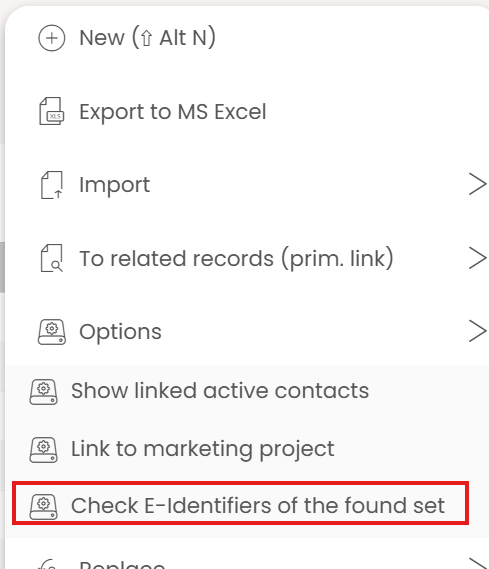
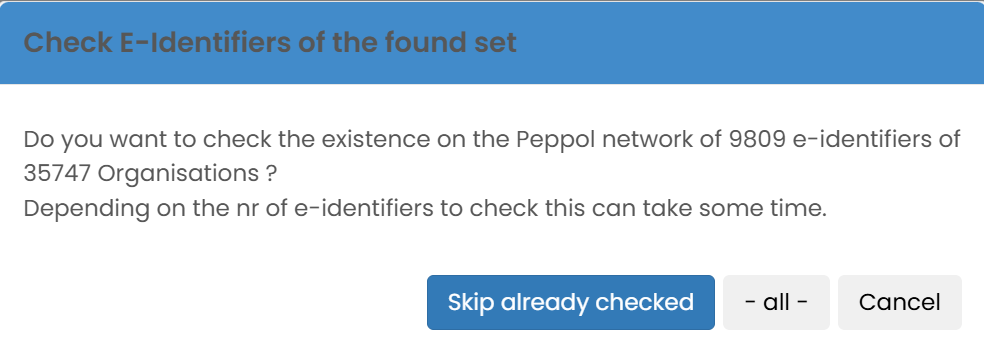
You have the choice to verify e-identifiers of the found set, or only the ones that could not be found before, or are not verified. In general, once an e-identifier is known on the Peppol network, it will probably stay there for a long time, but new companies might have registered themselves with one of the e-identifiers already entered in the Newbase application.
7. How do you send a Peppol invoice?
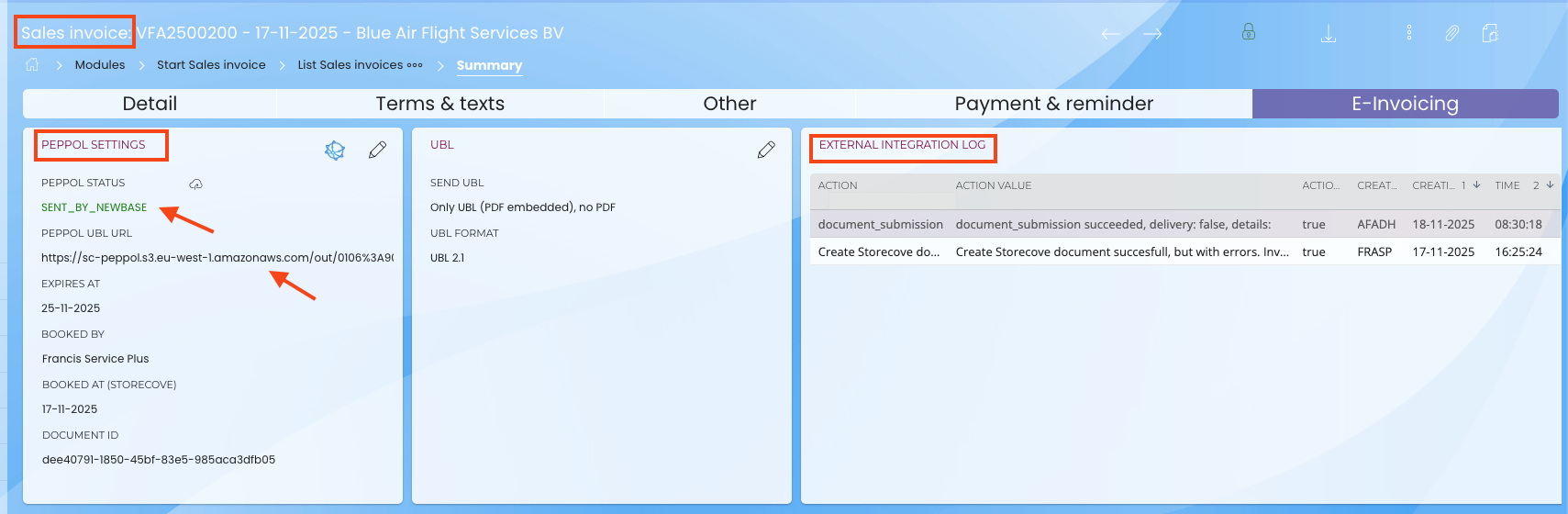
When you create an invoice for a debtor set up with Peppol, the invoice automatically receives the Peppol settings. Within the sales invoice module, you have the widgets "Peppol settings" (WID04612) and "External integration log" (WID02099), where you can view the invoice status.
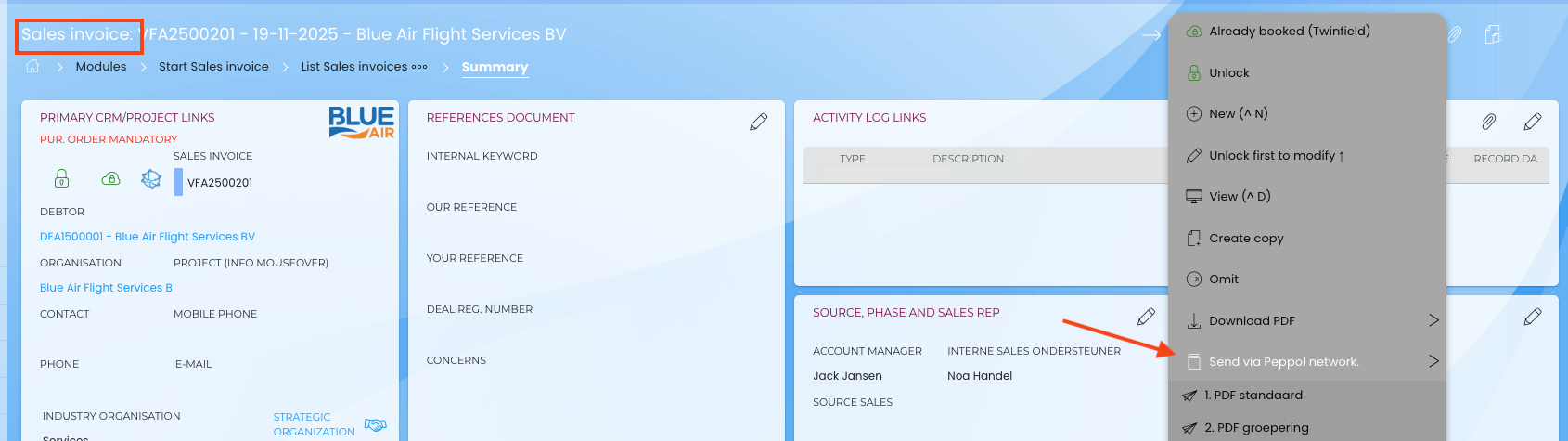
- Click the 3 dots within the invoice to open the menu.
- Select "send via Peppol network." If multiple printouts are being used, select the relevant printout. Newbase doesn't know how the customer receives this invoice. This will likely be within the customer's accounting software or ERP application.
8. How can you see if the invoice has been sent?
- You can check whether the invoice has been sent successfully using the 'Peppol settings' widget. A Peppol UBL URL is also provided. Clicking this displays the XML with data from Storecove
- The 'External integration log' widget provides more information about the invoice's sending
- It can happen that the status has not been updated. You can always check manually by clicking the cloud-icon in widget 'Peppol settins' next to 'Peppol status'. The status will then be retrieved from the network and updated.
9.How do you quickly find invoices that haven't yet been sent via Peppol?
On the home screen of the sales invoice module, you can perform a standard query. This search is called: Invoices yet to be sent via Peppol network.